How to Clone a Telegram Channel (Old Posts Included)
Most guides on how to clone a Telegram channel quietly skip the hard part. They show you how to auto-forward new messages and stop there — leaving your new channel a blank page with a trickle of posts arriving from today onward.
That's not a clone. A real clone has two halves: backfilling the existing history, then keeping the copy in sync with everything posted afterwards.
This guide covers both. You'll get the three working methods (manual, export, and bot), what actually carries over and what silently doesn't, the rate limits that decide how long a 10,000-post backfill takes, and the gotchas that break most first attempts.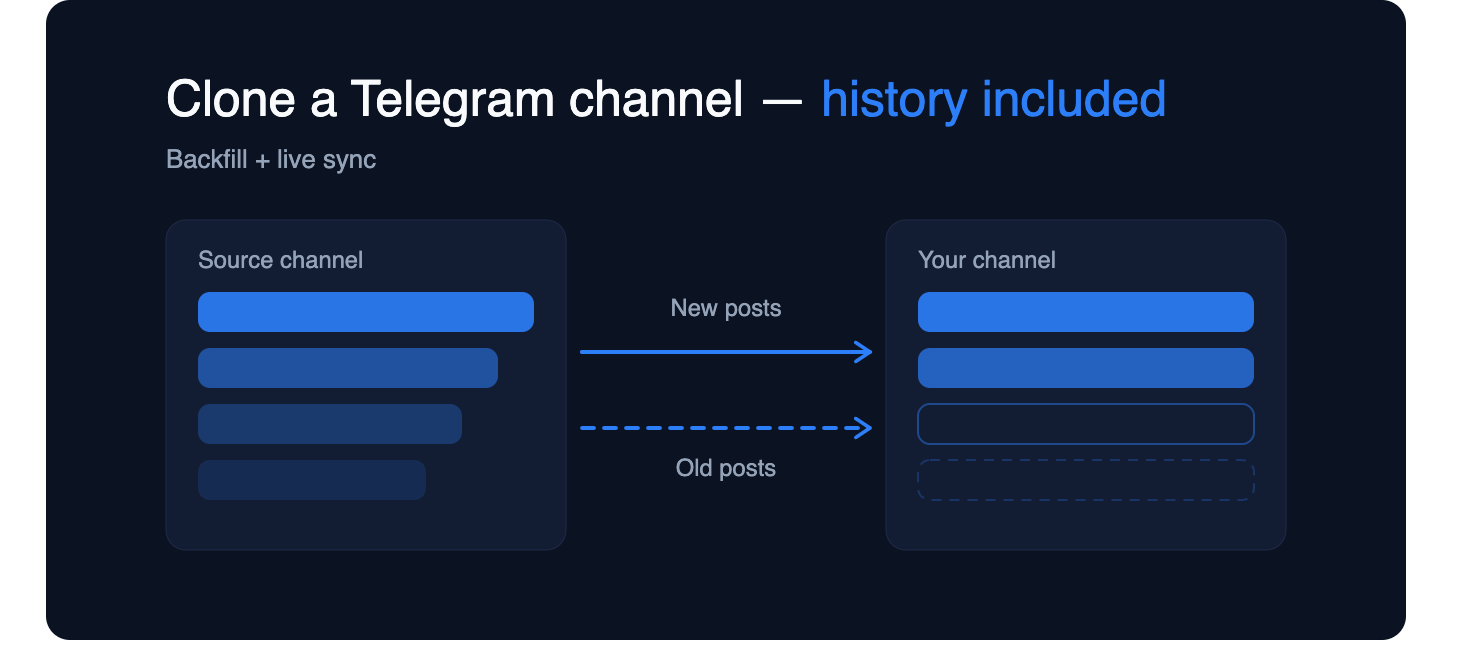
What does "cloning" a Telegram channel actually mean?
People type this search with three different jobs in mind, and they need different answers:
- Migration — you're moving your own channel to a new one (rebrand, lost admin access, splitting a channel in two) and want the archive to come with it.
- Mirror / backup — you want a second channel that holds a permanent copy, so a deleted post or a lost account doesn't wipe your archive.
- Republishing — you're copying another channel's feed into yours, usually for signals, news, or aggregation.
The technical steps overlap heavily, but the third one has a permissions question attached to it. More on that in a second.
Whichever job you're doing, treat the work as two separate tasks. Backfill is a one-time bulk operation over a fixed range of messages. Live sync is a permanent rule that fires whenever a new post appears. Tools that do one are common; tools that do both are what you're actually looking for.
Is cloning a Telegram channel allowed?
Short version: cloning your own channel is uncontroversial. Cloning someone else's is a copyright and Terms-of-Service question, not a technical one.
Three things worth knowing before you start:
Content you didn't write is still theirs. Copying a channel's archive into your own channel and publishing it as a feed is republishing someone else's work. Get permission, or credit and link the source. Many signal and news channels explicitly allow mirroring — ask first, it's usually a two-line conversation.
Telegram gives owners an off switch. Channel admins can enable Restrict Saving Content. When it's on, forwarding, copying and saving are blocked platform-wide — chats with copying and forwarding restrictions can't be backed up using the forward method. If you're hitting that wall on a channel you don't own, that's a deliberate signal from the owner. BitRecover
Impersonation is a fast route to a ban. A clone that copies another channel's name, avatar and posts to pose as the original will get reported and removed. Mirrors are fine; counterfeits aren't.
If you're migrating or backing up your own channel, none of this applies to you — carry on.
Why is there no built-in "clone channel" button?
Telegram has no native duplicate function, and the reason matters because it explains why every method below is a workaround.
Bots can't read the past. The Bot API only delivers messages from the moment your bot joins a chat onward — it can't retrieve historical messages sent before the bot was added. So a standard forwarding bot is structurally incapable of backfilling. It isn't a missing feature; it's the API boundary. Grokipedia
User accounts can. Telegram's underlying MTProto protocol exposes a history method that a logged-in user account can call to page back through a channel — messages.getHistory lets you fetch messages from any channel you're a member of, acting as your own account rather than as a bot. This is why every real cloning tool either asks you to log in with your account (userbot mode) or asks you to do the backfill by hand. codestudy
That single distinction — bot mode can't see history, user mode can — is the whole reason this task is harder than it looks.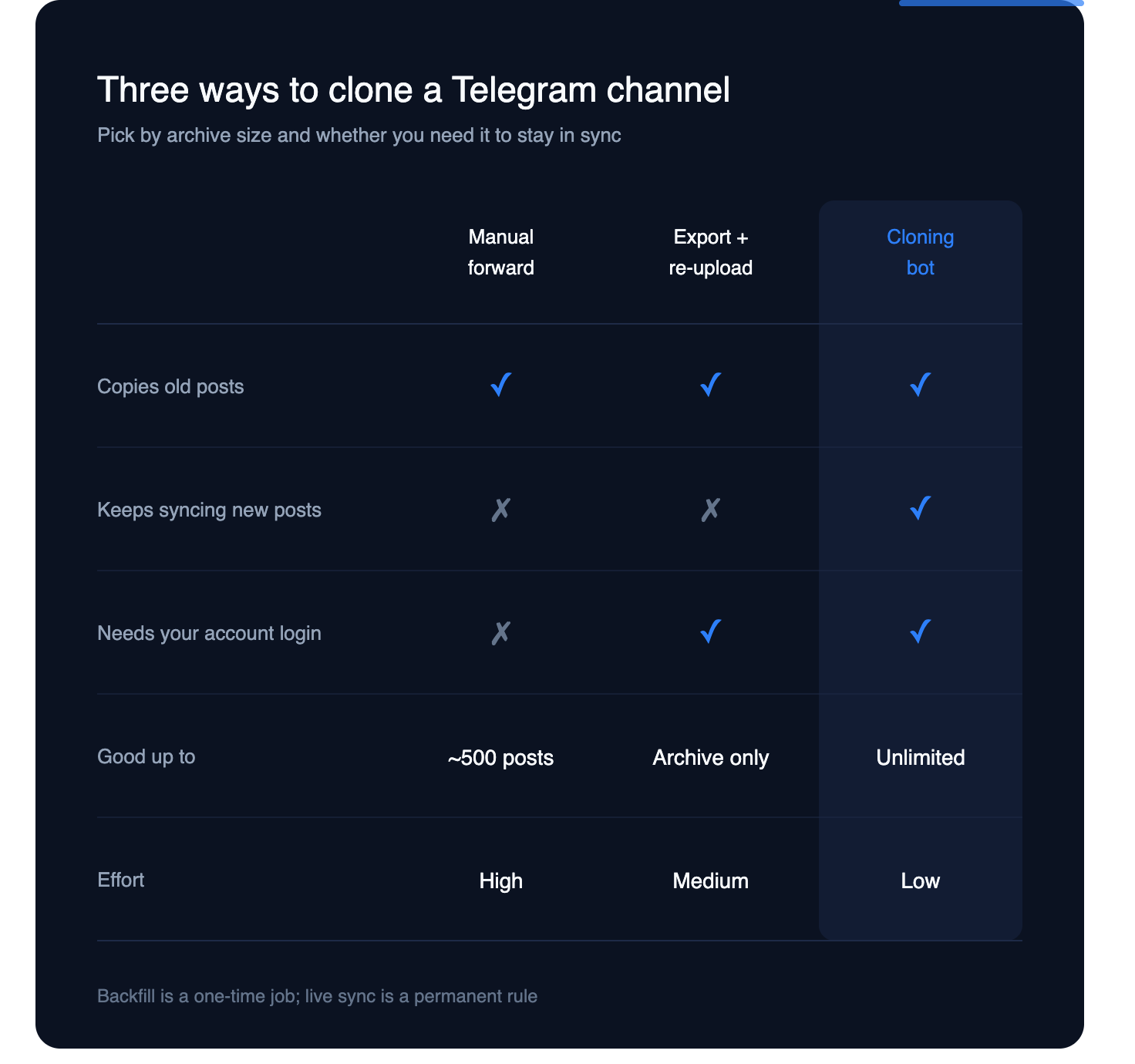
Method 1 — Manual forwarding (small channels only)
If your source channel has a few hundred posts, this is the fastest thing that works and it needs no tools at all.
- Open Telegram Desktop and go to the source channel.
- Right-click the oldest message → Select.
- Scroll forward and shift-click to select a block. Telegram caps you at 100 selected messages at a time. BitRecover
- Click Forward → choose the destination channel → send.
- Repeat from where you stopped.
Work oldest → newest. Telegram forwards a batch in original order, so if you start from the top your clone reads chronologically. Start from the bottom and you'll get a reversed archive that's painful to fix.
Watch the "Forwarded from" tag. In the forward dialog Telegram lets you hide the sender name, which strips the attribution header and posts it as a clean copy. Use it or don't — but decide before you send 500 posts, because you can't retroactively change it.
Where it breaks: albums sometimes split into separate posts, polls don't forward as interactive polls, and past a thousand or so messages the clicking becomes genuinely unpleasant. Budget roughly an hour per 1,000 posts.
Method 2 — Export the history, then re-upload it
Telegram ships a proper export tool, which is the right choice when you want a file — an offline archive, a compliance record, or a dataset — rather than a live second channel.
Open the channel in Telegram Desktop, use the three-dot menu and choose "Export Chat History"; for multiple chats at once, go to Settings → Advanced → Export Telegram Data. Pick JSON if anything will process the file later, HTML if a human will read it. Set a date range if you only need part of the archive. X
Two constraints worth knowing up front: full exports only work in Telegram Desktop — the mobile apps handle individual messages, not complete history dumps — and end-to-end encrypted Secret Chats are excluded entirely. Channels aren't secret chats, so that second limit won't bite you here. MosaicAI
The catch: an export is a one-way door. Telegram provides no import. Turning that JSON back into a populated channel means writing a script that re-uploads every message and every media file through the API, which is more work than Method 3 — and the re-uploaded media gets new file IDs, so nothing is deduplicated against the original.
Use export as your safety net before you clone, not as the cloning method itself.
Method 3 — Clone with a bot (history backfill + live sync)
This is the method the search results usually leave out, and it's the only one that does both halves of the job.
The tool logs in with your Telegram account so it can page back through the source channel's history, replays those posts into your destination at a controlled pace, and then leaves a live rule running so future posts arrive automatically. Setup with a bot like ForwardBuddy follows the same shape regardless of which tool you pick:
- Start the bot and connect your account. Backfill requires user-level access — a token-only bot cannot see old posts, no matter what its landing page says.
- Add the source and destination. You need read access to the source (membership is enough for public channels) and posting rights on the destination.
- Create the rule. Choose copy mode if you want clean posts with no "Forwarded from" header, or forward mode if you want visible attribution.
- Set the backfill range. Either "from the very first post" or a specific message ID range. Starting from message 1 is the true clone.
- Set your filters. This is where a clone becomes better than the original — skip pure-media posts, drop messages containing competitor links, rewrite URLs to your own, strip old promo blocks.
- Run the backfill, then leave live sync on. The historical job runs once; the rule keeps running forever.
The features that separate real tools from scripts: resume-from-checkpoint (so a crash doesn't restart from zero or double-post), edit sync (an edited source post updates its clone instead of drifting), and duplicate detection on re-runs. A weekend GitHub script has none of these, which you discover at post 4,000.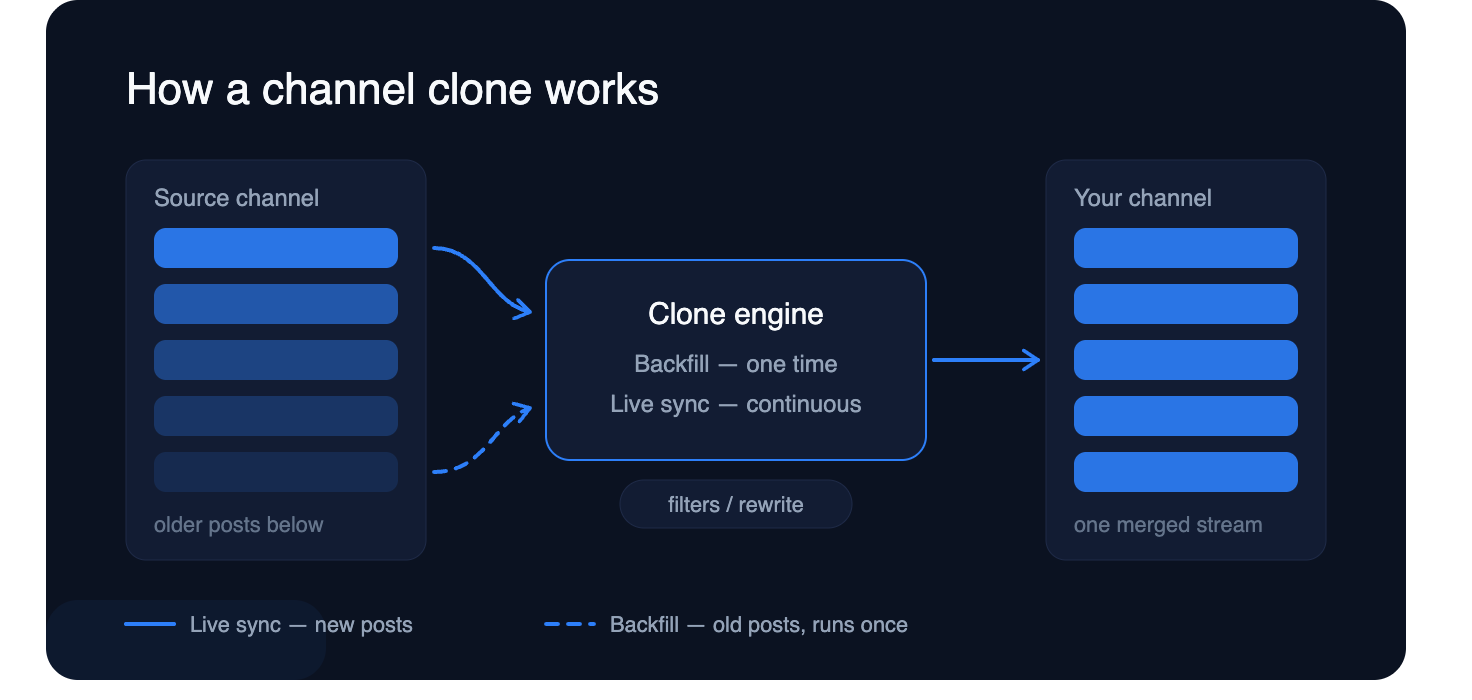
How long does a full clone take?
Longer than you expect, and the reason is rate limiting — not tool speed.
Telegram enforces flood control on sending. The commonly documented ceilings are around 30 messages per second across different chats, and roughly one message per second into a single chat. A backfill hammers one destination chat, so that last number is the one that governs you. Telegram's own bot guidance for high-volume sending is to spread broadcasts over longer intervals — on the order of 8–12 hours — to avoid hitting limits. pypi
Practical math at a safe pace of roughly one post per second:
- 500 posts — under 10 minutes
- 5,000 posts — about 1.5 hours
- 50,000 posts — 14+ hours, and you should deliberately throttle below 1/sec
Media makes it slower. Text reposts instantly; a 200 MB video has to be re-uploaded, and large-media channels can run 5–10× longer than the message count suggests.
Don't fight the throttle. Pushing harder returns a FLOOD_WAIT error with a forced cooldown, and repeatedly triggering it on a fresh account is how people end up limited. A tool that paces itself and resumes cleanly finishes sooner than one that sprints and stalls.
What actually gets copied — and what doesn't
This is the part that surprises people after the backfill finishes. A clone copies content, not context.
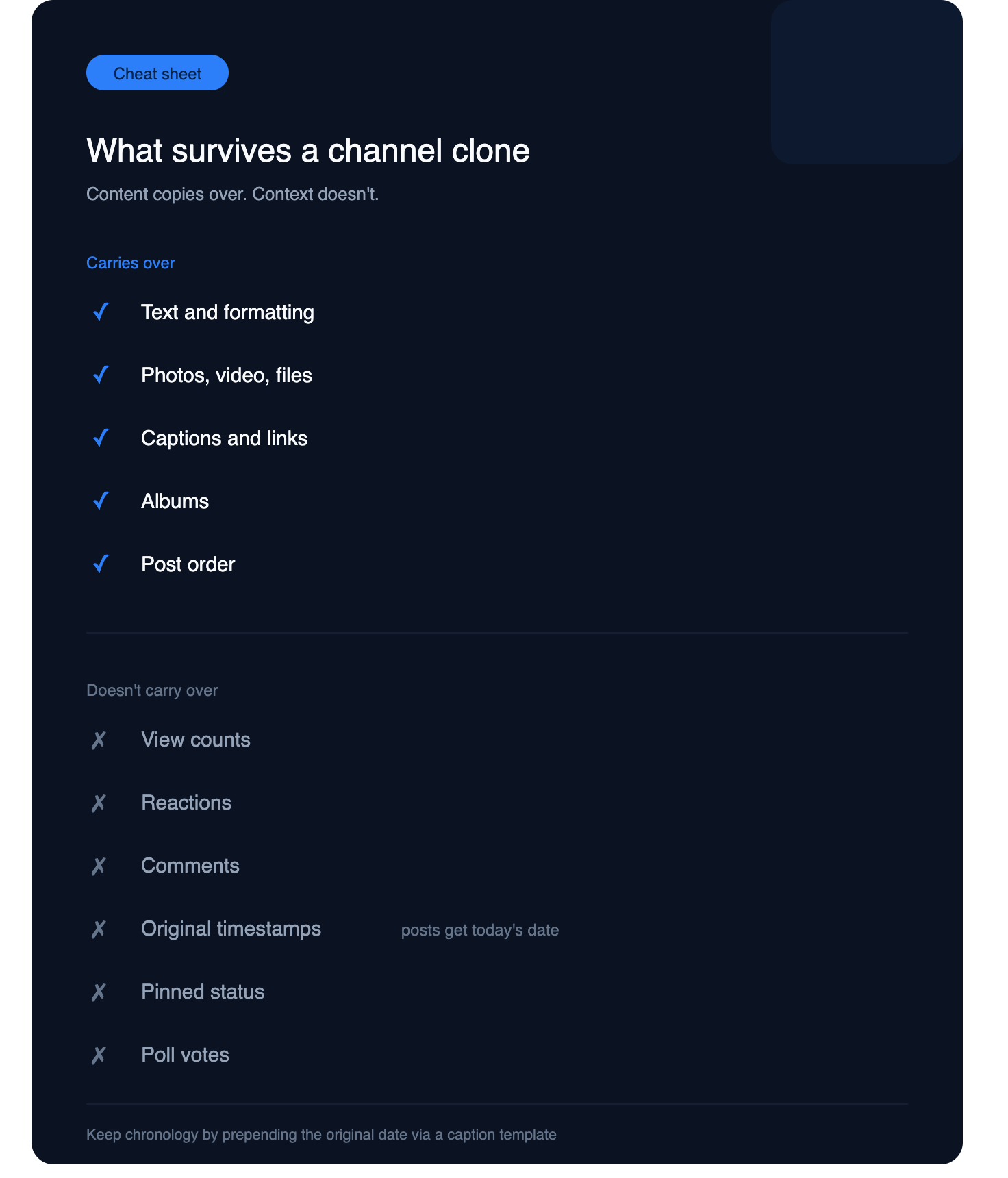
Carries over: text and formatting, photos, videos, documents, audio, captions, links, albums (with a good tool), and post order.
Does not carry over: view counts, reactions, comment threads from the linked discussion group, forward counts, original timestamps (posts get today's date — this is the single biggest shock), pinned status, and poll results. Polls typically arrive as static text rather than votable polls.
Depends on your settings: the "Forwarded from" attribution header, whether replies stay linked (reply chains often break because message IDs are renumbered in the destination), and whether scheduled or service messages come across at all.
The timestamp issue is worth planning around. If chronology matters to your readers, have your tool prepend the original date to each post's caption during backfill. Most decent tools support a header or footer template for exactly this.
Common problems and how to fix them
"The bot can't see any old messages." You're in bot-only mode. Backfill requires account-level access — reconnect with the user-login option.
"Forwarding is blocked." The source has Restrict Saving Content enabled. There's no legitimate workaround; the owner turned it off on purpose.
"Everything posted in reverse order." You ran the job newest-first. Clear the destination and re-run oldest-first — every good tool has a direction setting.
"The job stopped at 3,000 posts." Flood-wait. Restart with a resumable tool and a slower interval; you should not be re-posting the first 3,000 again.
"I re-ran it and now every post is duplicated." No checkpoint file. This is the number-one failure of free scripts — verify duplicate handling on a 20-post test range before the real run.
"Media didn't come across." Files over Telegram's upload cap, or content that has to be re-downloaded and re-uploaded rather than referenced. Check your tool's max file size.
Always dry-run on a throwaway channel first. Create an empty test channel, clone 50 posts into it, and inspect the result. Ten minutes there saves you from unwinding a 10,000-post mistake.
Keeping the clone in sync after the backfill
A clone starts decaying the moment the backfill finishes. Three settings decide how faithful it stays:
Edit sync — when the source edits a post, does the copy update? Without this, corrections and updated prices never reach your readers, which matters enormously for signal and deals channels.
Delete sync — when the source deletes, does the copy delete? Turn this on for a faithful mirror; deliberately off for a backup archive, since the whole point of a backup is surviving deletion.
Filters and rewrites — the ongoing rules that make your channel yours rather than a carbon copy: strip promotional blocks, swap referral links, append your own footer, skip post types you don't want.
Set these at the same time as the live rule, not later. Anything posted between backfill and rule activation falls into a gap you'll have to patch by hand.
Clone once, then let it run
Cloning a Telegram channel isn't one operation — it's a bulk history job plus a permanent sync rule, and every method that only does the second half leaves you with an empty channel and a slow drip of new posts.
Pick by size: manual forwarding under a few hundred posts, export when you want an archive file, and a cloning bot for anything larger or anything that needs to stay in sync. Whichever you choose, dry-run on a test channel, back up with an export first, and pace the job instead of fighting the rate limits.
→ Walk through a full Clone Channel setup with ForwardBuddy — history backfill and live sync in one rule.
FAQ
Can I clone a private Telegram channel?
Yes, if you have access. The tool acts through your account, so anything you can read, it can copy. You still need posting rights on the destination.
Can a Telegram bot copy old messages on its own?
No. The Bot API can't retrieve messages sent before the bot joined the chat. Any tool that backfills history is using account-level access underneath. Grokipedia
Does cloning show "Forwarded from"?
Only if you use forward mode. Copy mode sends posts as fresh messages with no attribution header.
Will I get banned for cloning a channel?
Cloning your own channel is normal use. Risk comes from ignoring flood limits on a new account, or from building a channel that impersonates someone else's.
Can I clone into a group instead of a channel?
Yes — the destination just needs to be somewhere your account or bot can post.
Is there a way to keep original post dates?
Not natively; posts publish with the current date. The workaround is prepending the original date to each post via a caption template during backfill.