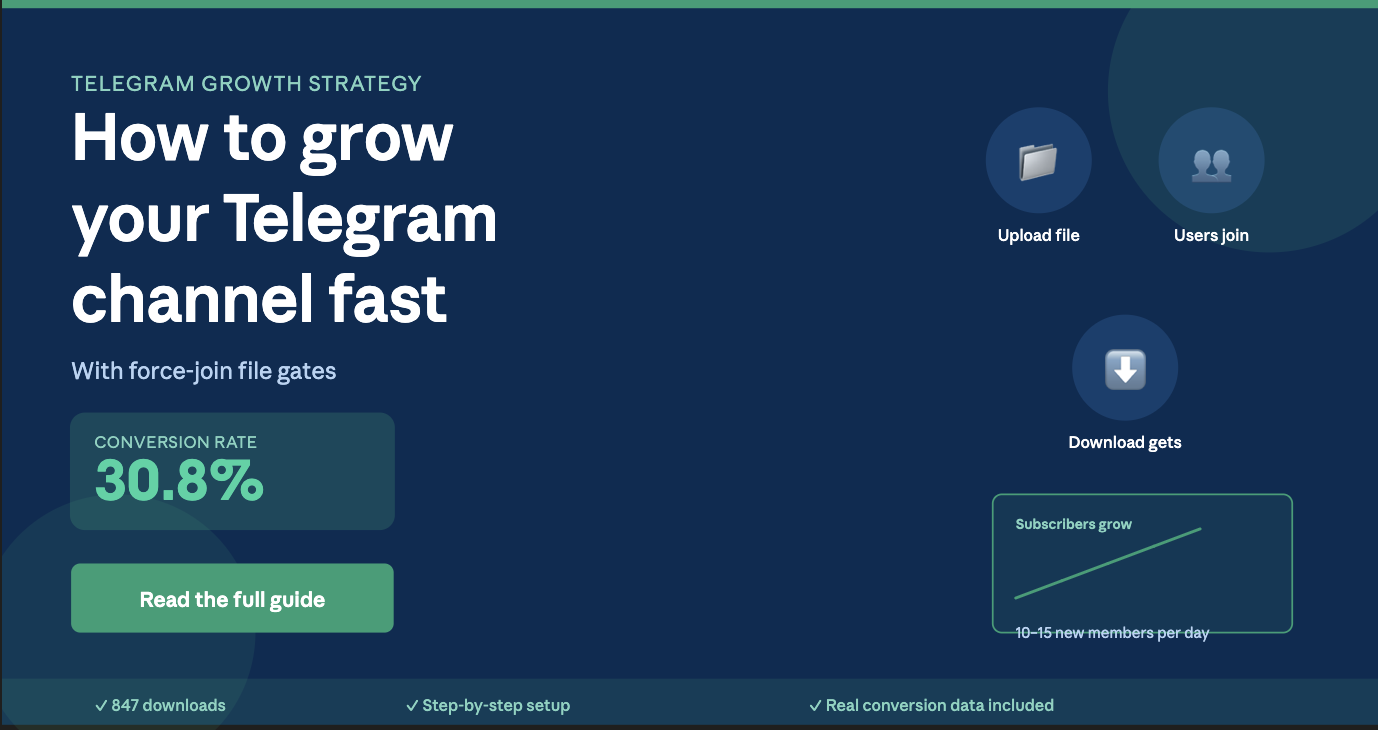
How to Grow a Telegram Channel Fast With Force-Join File Gates
Every Telegram channel owner eventually hits the same wall: organic growth is slow, and paying for ads feels expensive. But what if you could turn free resources—files, tools, ebooks—into audience magnets? Force-join file gates do exactly that. They let you gate valuable downloads behind a channel subscription, turning one-time downloaders into long-term community members. In this guide, you'll learn how to pick the right file, set up fair gates, and compound your subscriber base month after month using the tactics that actually work.
By the end, you'll have a complete playbook to grow your Telegram channel using this proven leverage tactic—no ads, no luck required.
Why Force-Join File Gates Work So Well for Telegram Growth
Force-join file gates work because they align two things that usually conflict: user intent and channel growth. Here's the psychology:
A person searching for a file (an ebook, checklist, template, tool) has an immediate need. That need is stronger than their resistance to joining a new channel. If your file solves their problem, they'll join to get it—and often they'll stay because your content is relevant.
Traditional tactics like "follow for updates" or "join for community" ask users to commit first and hope they find value later. Force-join gates flip this: users prove they find value by joining, so retention is higher and your channel attracts engaged subscribers, not hollow follower counts.
The second reason is compounding. Each person who joins your channel as a downloader becomes a potential amplifier—they might forward your content to others, or recommend your channel. One force-join file can drive dozens of subscribers; ten files compound into hundreds.
 Picking Your Hero File: The Core of Your Strategy
Not every file deserves to be gated. Your "hero file" is the one that stops people mid-scroll.
The best hero files have three properties:
1. Immediate, obvious value. The file solves a clear problem. A software checklist, a template, a tutorial, a cheat-sheet—not a generic whitepaper. When someone reads the file name, they should think, "I need that right now."
2. Narrow and specific. A guide on "marketing" is too broad. "Email marketing templates for SaaS cold outreach" is specific enough that the right person will join your channel to get it. Specificity attracts your ideal audience.
3. Reusable or evergreen. A file about cryptocurrency prices this week won't pull subscribers next month. Pick something that stays valuable. Checklists, templates, courses, and how-to guides all qualify.
Examples of strong hero files:
- Telegram marketing blueprint for creators (specific, evergreen, actionable)
- Email swipe file for B2B sales (narrow, immediately useful)
- Social media content calendar template (reusable, solves a real workflow problem)
- Competitor analysis workbook (specific, valuable data anyone can apply)
Poor choices include generic "download our ebook" links, overly promotional PDFs, or files that only appeal to a tiny slice of your niche.
Pro tip: Test multiple files. If file A drives 10 joins and file B drives 100 joins, invest more promotion in B. Use ShareBuddy or a similar tool to generate secure links and track which files convert best.
Setting Fair Gates: Balancing Growth and User Trust
A force-join gate only works if users feel they got a fair deal. If you gate a 2-page checklist behind a channel join, users feel scammed. If you gate a comprehensive 50-page guide, they feel smart.
Fairness formula: The file size, depth, and usefulness should justify joining a new community channel.
Here's what "fair" looks like:
File TypeTypical LengthFair Barrier?NotesChecklist2–5 pages❌ Usually too smallGate only if paired with a video or additional resourceTemplate (spreadsheet, doc)Variable✓ Often fairUsers recognize the time savedEbook or guide30+ pages✓ Strong justificationMost valuable file type for force-joinVideo course5+ modules✓ Excellent conversionIf delivered as downloadable filesTool or softwareVaries✓ Usually fairEspecially if proprietary or saves timeOne-off post or article1–3 pages❌ Too smallUsers resent being gated on minimal content
Additional fairness checklist:
- No bait-and-switch. The file should match its description exactly. If it says "50 email templates," deliver 50, not 15.
- Deliver immediately. Once they join, they should get the file within seconds, not days.
- Single gate, not multiple. Don't force users to join 3 channels for one file. ShareBuddy lets you gate up to 5 channels, but users resent excessive demands. Start with 1–2 key channels.
- Clear expectations. Tell people before they click the link what they need to do. "Join @YourChannel to download the Telegram Marketing Guide."
 Building Your Force-Join System: Step-by-Step Setup
Once you've chosen your hero file, the setup is straightforward.
Step 1: Create or designate a storage channel.
You need a private or public Telegram channel where the bot will securely store your files. This is your file vault. Use ShareBuddy or a similar tool to bind your bot as an admin in this channel. The bot needs permission to post and delete messages so it can manage file access securely.
Step 2: Upload or forward your hero file to the bot.
Open your file storage bot (like @ShareBuddyBot), send it your file, and the bot will copy it to your storage channel and generate a secure, encrypted access link. You now have a URL that only works if the downloader joins your designated channel.
Step 3: Configure your force-join channel(s).
In your bot's settings, add the Telegram channel(s) you want users to join before downloading. This is usually your main community or announcement channel. Link to the file from that channel as a pinned message or a regular post so members see it.
Step 4: Test the flow.
Join a private account (or have a friend try) and click your download link. Verify that they're prompted to join the channel, and that they can access the file immediately after joining.
Step 5: Promote the file.
Now comes the growth part. Share the download link in:
- Your existing social media (Twitter, LinkedIn, Reddit, Discord)
- Relevant online communities or forums
- Direct outreach to people in your niche
- Paid ads if your budget allows (this compounds the effect)
Each share is a chance for someone to join your channel.
 Multi-Channel Cross-Promo: Scaling Beyond One File
One hero file gets you early momentum. Real growth comes from systems.
Once you've validated that your first force-join file converts, launch your second. Then your third. Over time, each file drives its own stream of subscribers, and they compound.
Cross-promotion strategy:
- File 1: Ebook on "Telegram growth hacks" (gates to @YourMainChannel)
- File 2: Template: "Telegram content calendar" (gates to @YourMainChannel, mentions File 1 in the description)
- File 3: Checklist: "How to launch a paid Telegram community" (gates to @YourMainChannel + @YourPremiumChannel for upsell)
Each file mentions the others. A person who downloads the growth ebook might then grab the template. And if you have a premium paid channel, you can gate advanced resources there, creating a funnel.
Other cross-promotion tactics:
- Batch multiple files into one link. Use ShareBuddy's batch feature to create a single link containing 3–5 related files. This feels more valuable to the downloader and keeps them in your ecosystem.
- Create a file directory. Pin a post in your channel that lists all available downloads. When new members join, they see the full menu and often grab 2–3 files, not just one.
- Update and re-promote old files. A file you published 6 months ago can be refreshed with new data and re-shared. You'll pick up subscribers who missed it the first time.
- Layer different audiences. Create files for different personas (beginners, intermediate, advanced). Each audience joins your channel for the right-level resource.
[Suggested image: multi-file-growth-funnel.jpg — alt: "Funnel diagram showing how multiple gated files attract different user segments into your Telegram channel ecosystem"]
Measuring Conversions and Optimizing Your Files
Growth that's not measured is just vanity. Here's what to track:
Primary metrics:
- Link clicks — How many people clicked the download link?
- Force-join events — How many people actually joined the channel?
- Conversion rate — (Joins ÷ Clicks) × 100. A 30% conversion rate is good; 50%+ is excellent.
- Channel growth rate — How many new subscribers per week are you gaining from this file?
Secondary metrics:
- Engagement rate — After joining, what % of new members interact with posts? (High engagement = quality subscribers)
- Retention rate — What % stay in the channel after one week, one month?
- Revenue per subscriber — If you monetize (sell courses, offer services), which files drive the highest-value customers?
How to track this:
- Use your bot's built-in analytics. ShareBuddy and similar tools log clicks, joins, and delivery success.
- Create UTM parameters for each file link if you're sharing on web platforms. (e.g.,
?utm_campaign=telegram_guide&utm_source=twitter) - Manually note the channel size before and after launching a file, then subtract growth from other sources.
- Use Telegram's channel analytics to see how many new members you gained each day.
Optimization loop:
Once you have data, act on it:
- Which files convert best? Promote more of that type.
- Which convert poorly? Revise the file (make it deeper, more specific) or replace it.
- Which time of day drives the most joins? Schedule your promotions then.
- Which channels or platforms bring the best subscribers? Double down on those sources.
[Suggested image: analytics-dashboard-example.jpg — alt: "Sample analytics dashboard showing file clicks, join conversion rates, and channel growth over time"]
Common Mistakes and How to Avoid Them
Mistake 1: Gating content that's too small or low-effort.
The fix: Respect the 30-page rule. Smaller files work only if they're high-leverage (a template that saves 10 hours) or bundled with other resources.
Mistake 2: Gate multiple channels at once for a single file.
The fix: Start with one channel. Once subscribers feel they've joined the right community, you can later ask them to join a sister channel for advanced content.
Mistake 3: Forget to promote after uploading.
The fix: File sharing without promotion is like building a store with no storefront. Spend as much energy on distribution as on creation.
Mistake 4: Never update or refresh your files.
The fix: A file from two years ago looks stale. Refresh the top 3 files annually. Re-promote them with a "2025 update" tag.
Mistake 5: Gate files that attract the wrong audience.
The fix: A file on "cryptocurrency trading" will attract traders, not creators. If you want creator subscribers, gate creator-focused files.
Frequently Asked Questions
Q: How many force-join channels should I set up?
A: Start with one—your main community channel. Once you have 1,000+ members, you can add a premium channel for advanced files. Never gate a single file behind more than 2–3 channels.
Q: What if people complain about the force-join gate?
A: Some will. But if your file is genuinely valuable, most see the trade-off as fair. Make it easy to join (5-second process), deliver the file instantly, and stay engaged with new members.
Q: Can I sell my gated files instead of giving them free?
A: Technically yes, but force-join gates are more effective for free high-value resources. If you want to monetize, create a paid channel instead.
Q: How often should I launch new files?
A: Quality over quantity. One excellent file per month compounds better than three mediocre ones. Focus on depth and specificity.
Q: What if my channel topic is niche? Will force-join files still work?
A: Yes—especially in niches. Niche audiences are more engaged and grateful for specific resources. A file on "Telegram growth for yoga teachers" will convert better than "general growth tips."
Q: How do I prevent people from sharing my gated file publicly?
A: You can't completely. But if your file is timely, updated regularly, or tied to an ongoing community (like a live course or group), people naturally prefer the up-to-date version from your channel. Focus on building a community, not just protecting files.
Q: Can I automate the file-sharing and force-join process?
A: Yes. Tools like ShareBuddy handle link generation, storage, and access control automatically. You focus on promotion; the bot handles delivery.
[Suggested image: faq-illustration.jpg — alt: "Illustrative icon set showing common questions about force-join gates with simple visual answers"]
The Path Forward: Building Your Force-Join Growth Engine
Force-join file gates aren't a quick hack—they're a system. The first file takes effort to create and promote. The second takes less. By your fifth file, you have a repeatable machine that turns free resources into audience growth.
Here's your action plan for the next 30 days:
- Identify your hero file. What problem does your audience have that you can solve with a document or resource?
- Create or curate it. Spend 2–4 hours making it genuinely valuable. Depth wins.
- Set up your bot and storage channel. Use ShareBuddy or similar to configure force-join and generate a download link.
- Test the download flow. Ensure joining works and the file delivers instantly.
- Promote in three places. Your existing social channels, one relevant community, and one paid test if budget allows.
- Track metrics for two weeks. Watch clicks, joins, and conversion rate.
- Optimize or launch file #2. If file #1 converts well, scale it. If not, adjust and test again.
The channels that grow fastest aren't chasing trends—they're systematically trading small amounts of value for large amounts of audience growth. Your force-join files are that value.
Start small. Pick one file. Launch it this week. Then let the compounding begin.