Telegram Welcome Messages: How to Set One Up in 2026
For eleven years, setting up a Telegram welcome message meant the same thing: add a third-party bot, promote it to admin, learn a /setwelcome command, and hope it didn't break.
That's over. On 25 August 2026, Telegram built welcome messages directly into the app — for both groups and channels. Setup now takes about two minutes and needs no bot at all.
This guide covers the native setup step by step, exactly who sees the message and when, the six things the built-in feature still can't do, when a bot is genuinely still worth it, six templates you can copy, and the fixes for when your welcome message doesn't show up.
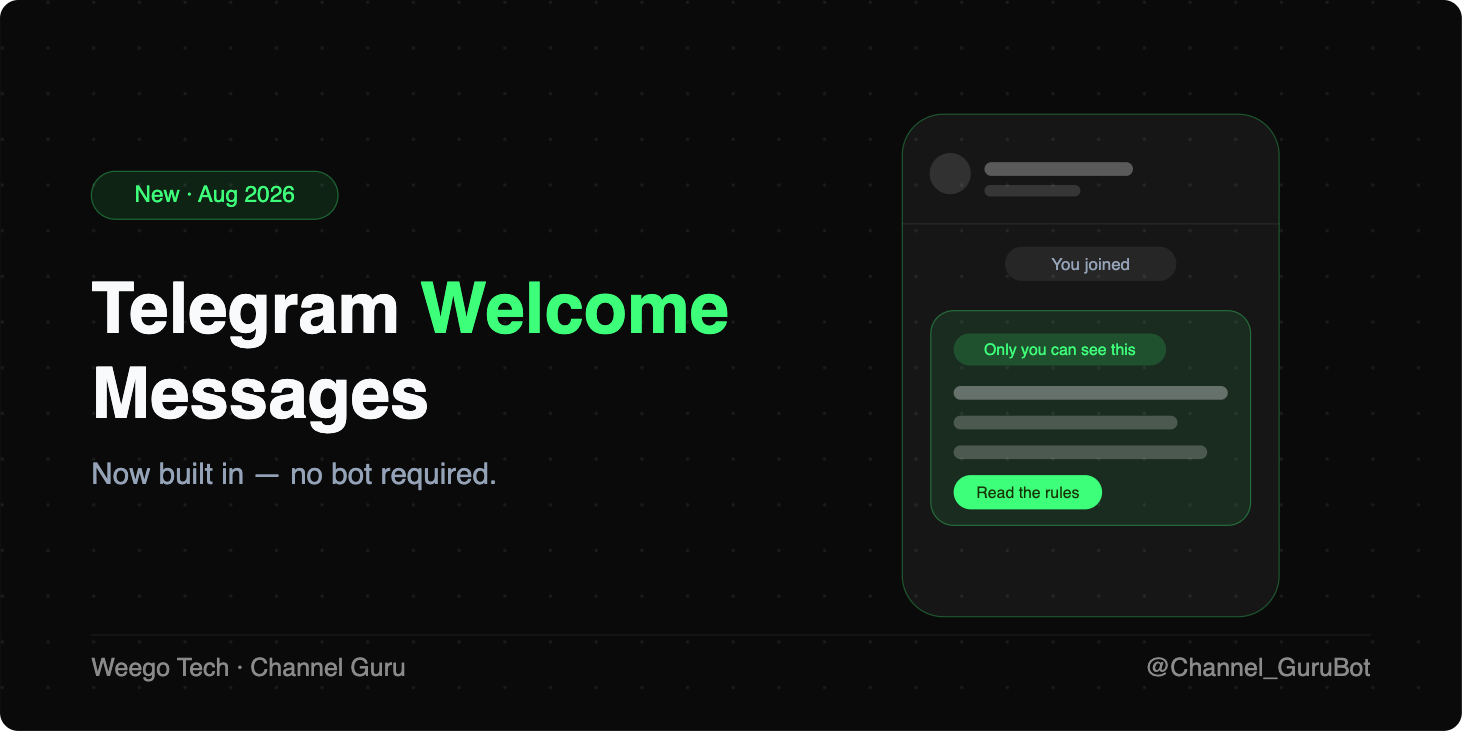
That single change made most of the internet's advice on this topic outdated. Almost every guide still ranking today tells you to install Rose, Group Butler or Combot first. You don't have to anymore.
The bot route still exists, and there are real situations where it wins — we'll get to those honestly further down. But start with the built-in version, because it's free, instant, and can't break.
How do you set up a Telegram welcome message?
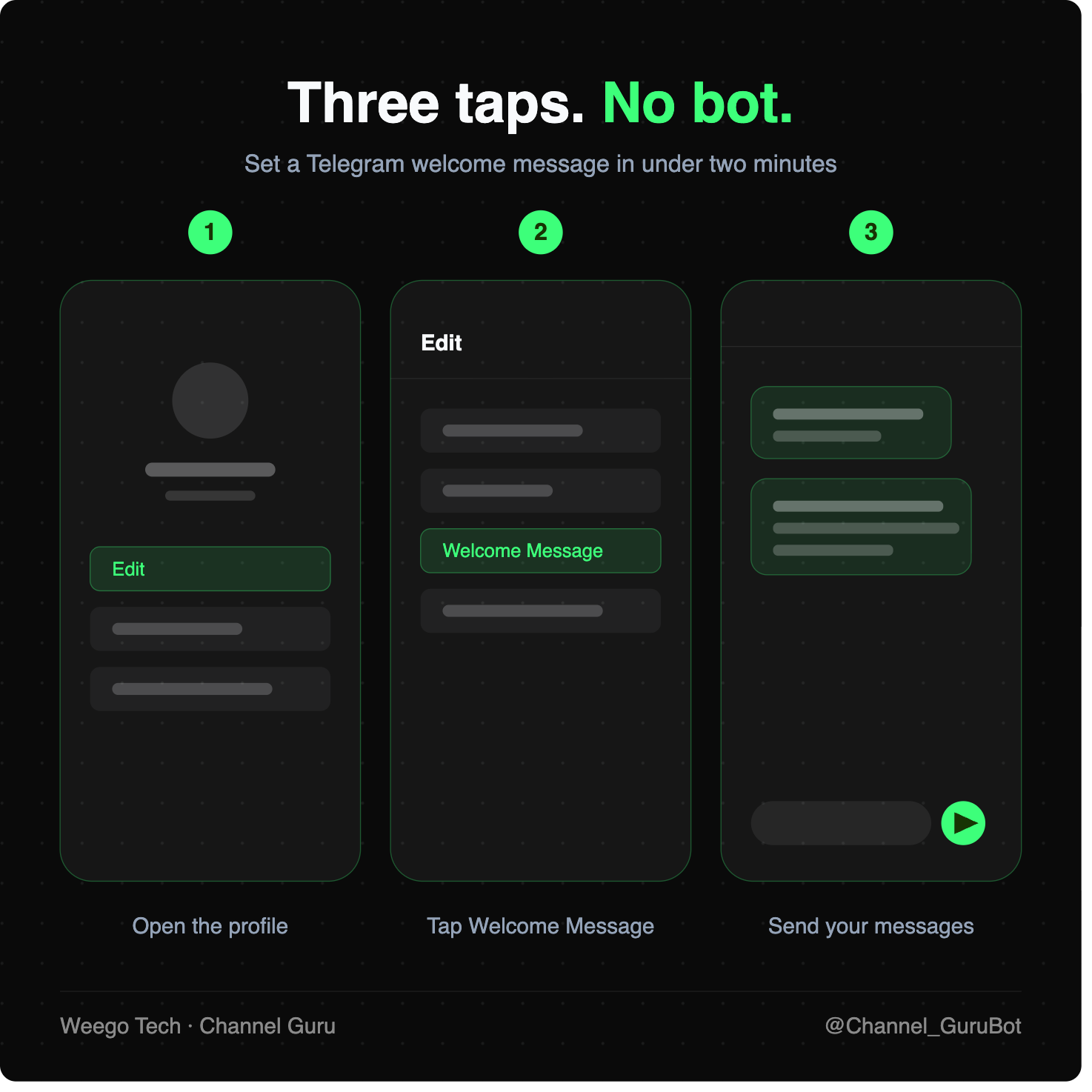
Open your group or channel profile, select Edit, then Welcome Message, and send some messages. That's the whole thing. In detail: Telegram
- Update your Telegram app first. The feature is new, and older versions can't render it. Telegram now shows a placeholder with a download button when an outdated app can't display a new feature — if you see that, update before going further. Telegram
- Open the group or channel, then tap the name at the top to open its profile.
- Tap Edit (the pencil icon on mobile, or "Edit" on desktop).
- Tap Welcome Message. If it isn't there, see the troubleshooting section below.
- Compose it like a normal chat. Type your message and send. Add a second and third message if you want a proper onboarding pack — an image, then the rules, then the links.
- Back out. There's no separate save button; what you sent is what new members will see.
Who sees the welcome message — and who doesn't?
This is the part most people get wrong, so it's worth being precise.
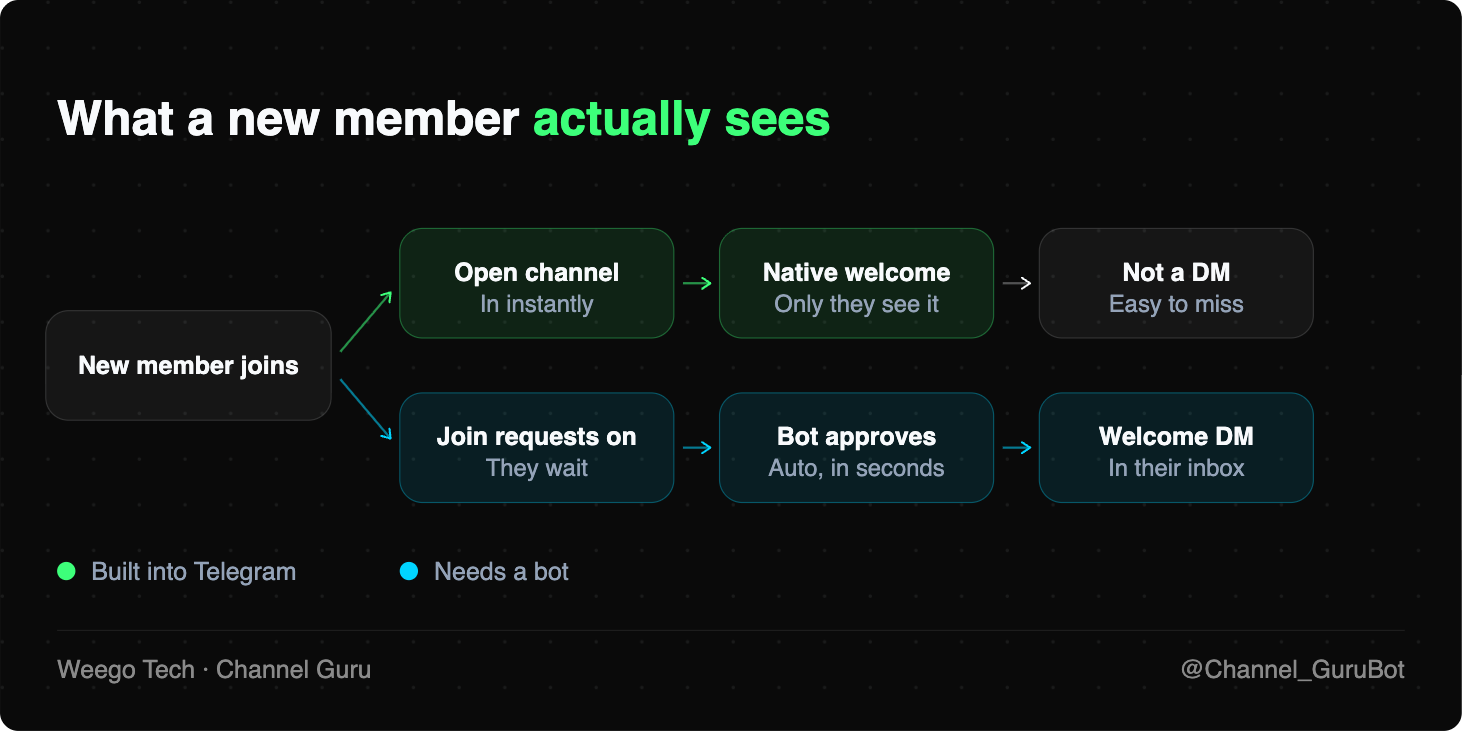
The welcome message appears inside the chat, and only the person who just joined can see it. Existing members see nothing. It isn't a broadcast, it isn't a pinned post, and it doesn't push a notification to your whole audience.
It is also not a direct message. It lives in the channel or group thread, visible to that one new member. If they mute the chat and never open it, they may never read it. That distinction matters a lot for paid channels and lead generation — and it's the main reason bots haven't gone away.
What the built-in welcome message still can't do
The native feature is deliberately simple. Six gaps are worth knowing before you decide it's enough:
- No personalisation. There are no variables like a member's first name — everyone gets identical text.
- No delay or timing control. It fires the moment they join, or not at all.
- No delivery tracking. You can't see who received it, opened it, or tapped through.
- No private message. It stays in the chat; it never lands in their DM list.
- No segmentation. Every invite link gets the same welcome, so you can't greet paid members differently from organic joiners.
- No approval flow. If you use join requests to keep spam out, the welcome fires only after they're already in — approving them is still a separate job.
Buttons are a partial exception. The same August update lets developers put multiple buttons inside a message and build automated flows, and Telegram explicitly suggests using these as welcome messages — but that route requires writing code against the Bot API, not tapping through a menu. Telegram
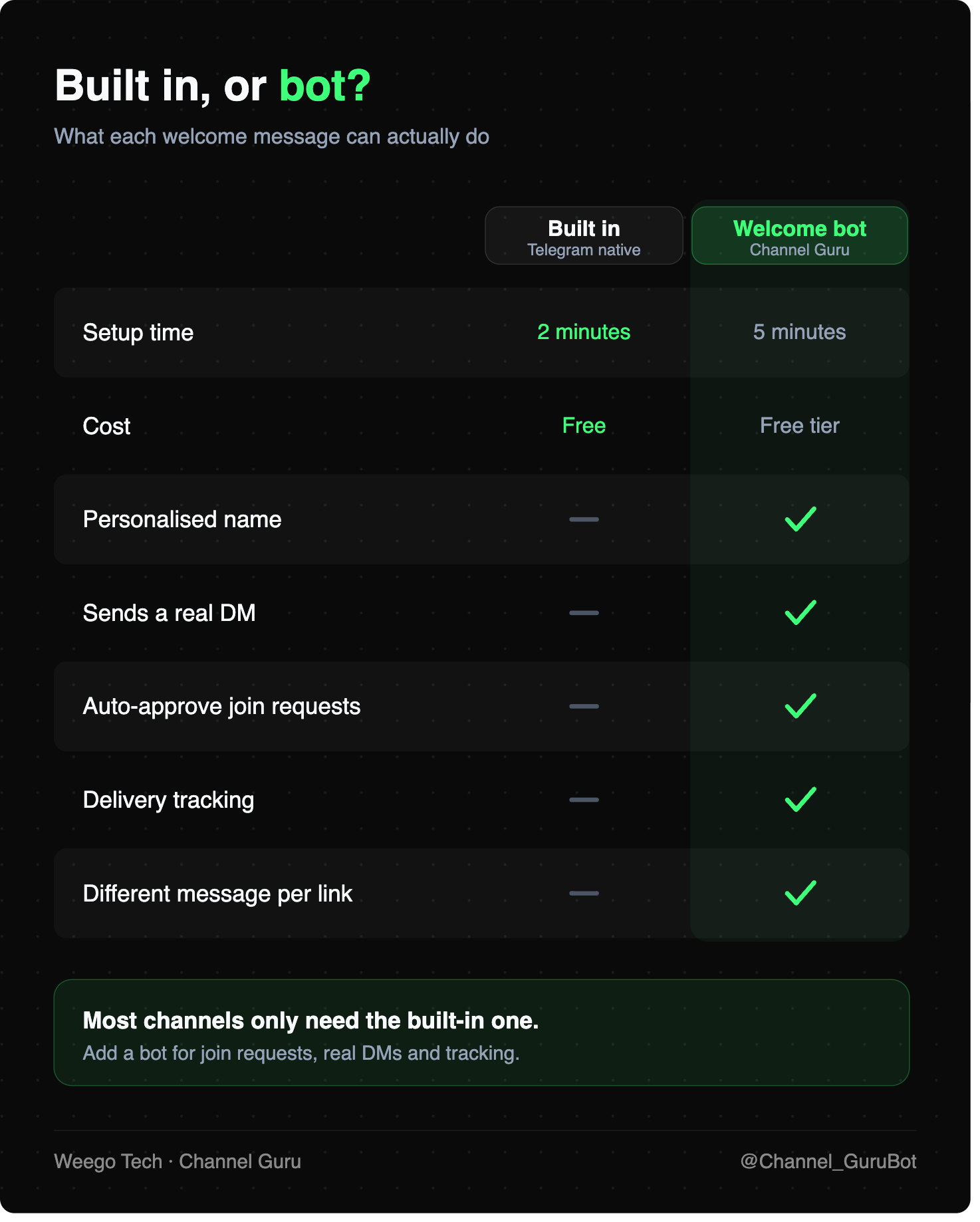
Do you still need a welcome bot?
For most communities in 2026: no. If you run a hobby group, a small channel, or a team chat, the built-in feature is the right answer and you can stop reading here.
You still want a bot in four specific situations:
You use join requests. Turning on join requests is the single best spam filter Telegram offers, but it leaves you tapping an approve button hundreds of times. A bot approves automatically and can send a welcome the moment it does. (Full walkthrough: how to auto-approve Telegram join requests.)
You need the message in their DMs. A private message sits in their chat list with an unread badge. A native welcome sits in a channel they may have already muted. For paid channels, onboarding sequences and anything with a call to action, the DM converts better.
You want to know if it landed. Delivery reports tell you when someone blocked your bot or never got the message, so you can follow up instead of guessing.
You run several channels. Managing welcomes, approvals and broadcasts for five channels from one dashboard beats editing five profiles by hand.
How to add a welcome DM with Channel Guru
If any of the four above describe you, the setup is roughly as short as the native one:
- Add Channel Guru to your channel or group as an admin.
- Turn on auto-approve for join requests, with a short delay if you want to filter bot farms.
- Write your welcome DM — the message that fires the instant a member is approved.
- Test it with a second account before you point traffic at it.
One caveat worth respecting: Telegram only lets a bot open a private chat with someone for a short window after their join request, so the DM has to fire promptly. That timing is covered in detail in the join-requests guide linked above.
The two approaches also stack. Use the native welcome for rules and links inside the chat, and the bot DM for the thing you actually want them to click.
Six Telegram welcome message templates
Keep it short. New members skim.
Community group: Welcome in. Read the pinned post first, introduce yourself in one line, and ask anything — nobody here minds beginner questions.
Paid signals channel: You're in. Start with the pinned "How to read our signals" post before your first trade. Support: @yourhandle.
Product support group: Welcome. Search before posting — most answers are already here. Bugs go in the pinned thread with your app version.
Course or cohort: Glad you made it. Week 1 material is pinned. Sessions run Tuesdays. Say hi so we know you're here.
Deals channel: Welcome. Posts go out daily around 6pm. Turn notifications on so you don't miss the short-lived ones.
Agency or lead gen: Thanks for joining. Free resources are pinned. Want a quote? Message @yourhandle with your project in two lines.
Welcome message not showing? Check these
- Your app is out of date. The most common cause by far. Update, then reopen the profile.
- You're not the owner. Telegram's announcement frames this as a feature for chat owners. If Edit shows no Welcome Message row, check your role.
- You're testing with your own account. You won't see your own welcome. Use a second account to test properly.
- The member has joined before. Rejoiners aren't reliably treated as new members.
- Your bot's DM never sent. If you're using a bot instead, the member may have blocked it, or the send window may have expired.
Quick answers
Does it work on channels? Yes — Telegram built it for both groups and channels. Telegram
Will existing members see it? No. Only the new member does.
Is it a DM? No. It appears in the chat, visible only to them. For a real DM you still need a bot.
Can I use images and links? Yes — media, multiple messages and rich formatting are all supported.
Set it up now, refine it later
The built-in Telegram welcome message takes two minutes and there's no reason to leave it empty. Write something plain, add your one most useful link, and test it with a second account today.
If you're running join requests, selling access, or managing several channels, add a bot on top so the message lands where people actually read it — their inbox. Set up Channel Guru free and greet new members before they go quiet.