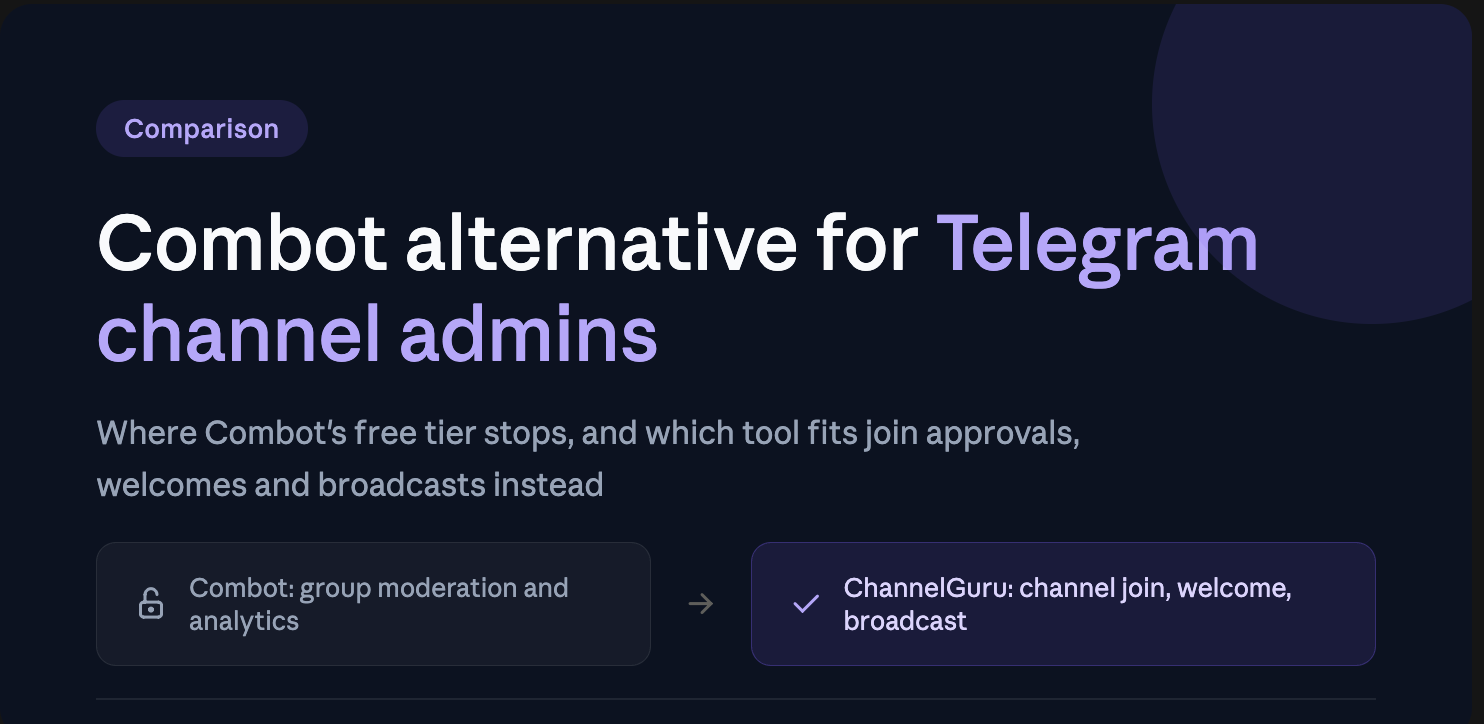
If you searched "Combot alternative," there's a good chance you just watched Combot's paywall show up at 200 members — and you run a channel, not a group, so half of what Combot does isn't even for you. This guide breaks down exactly where Combot's free tier stops, what Combot is actually built for, and why ChannelGuru fits channel operations like join approvals, welcomes, and broadcasts instead.
Why So Many Admins Search for a Combot Alternative
Combot dropped its free threshold from 1,000 members to 200 back in 2020, and it never went back up. Cross that line and you're looking at paid plans, with larger communities paying more as they grow.
That free-tier cliff is the single biggest driver of "Combot alternative" searches. But there's a second, quieter reason people end up here: Combot was built for Telegram groups, not channels. If you're running a broadcast channel and just want clean join-request handling, a welcome flow, and scheduled posts, Combot's moderation-and-analytics stack is solving a different problem than the one you have.
What Combot Actually Does Well
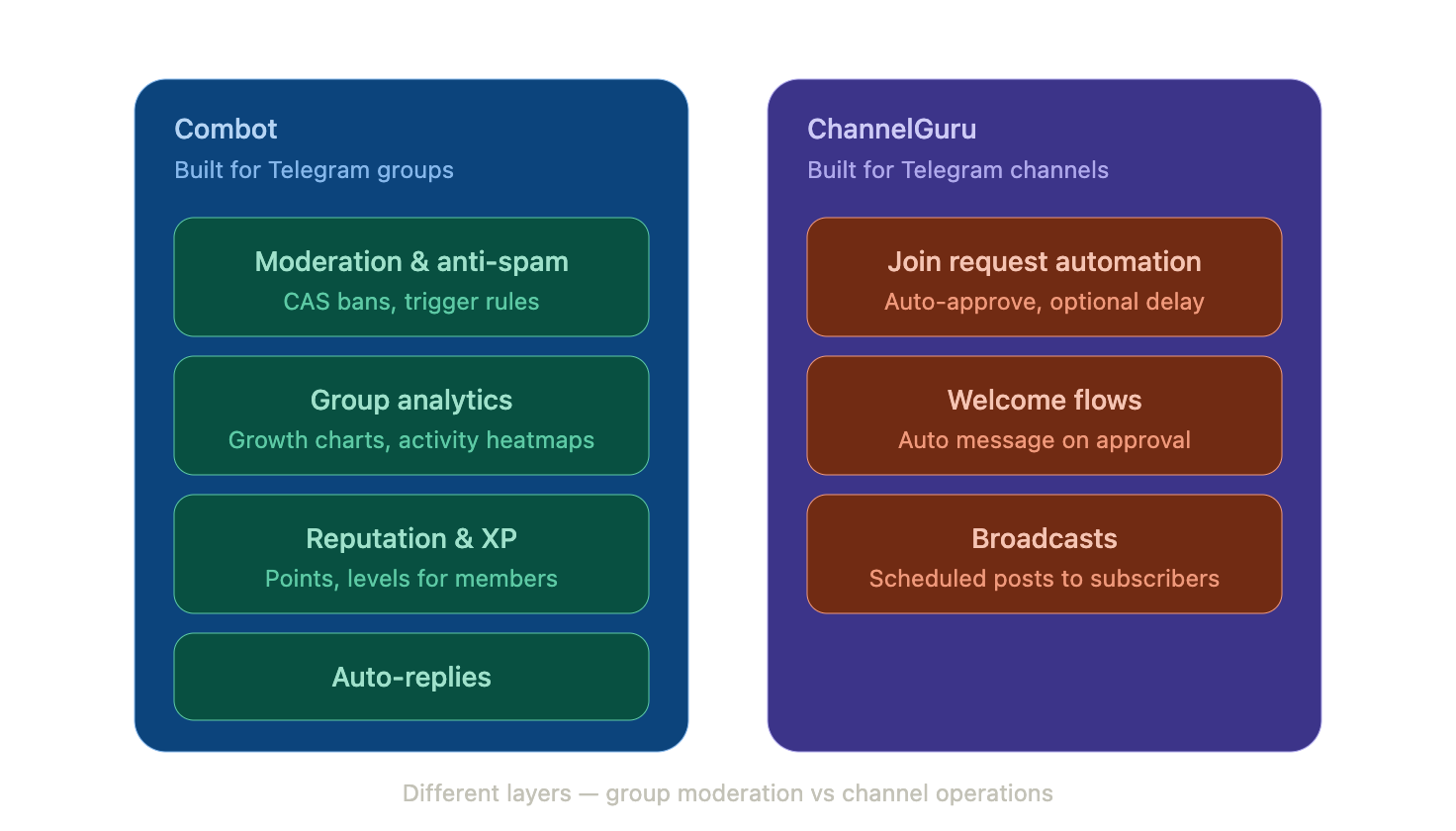
Credit where it's due — Combot has been around since 2016, runs across more than 100,000 groups, and its reputation is earned. It's strongest at:
Moderation and anti-spam — Combot Anti-Spam (CAS) is a widely recognized system that auto-bans known spammers, and admins can layer on custom trigger rules for warnings, mutes, and bans.
Group analytics — a real web dashboard with member growth charts, activity heatmaps, and engagement stats, which is more than Telegram gives you natively.
Triggers and auto-replies — a flexible rule system for FAQs and custom admin commands.
Reputation and XP — points and levels to reward active members in a group setting.
If you're running an active group (not a channel) with a real conversation happening, Combot's combination of moderation and analytics is genuinely one of the more mature options on Telegram.
Where Combot Falls Short for Channel Admins
Here's the part most "alternative" pages skip: Combot's core toolkit — triggers, reputation points, member-to-member moderation, group activity graphs — assumes a group, where people talk to each other. A channel is one-way broadcast. There's no chat to moderate, no member conversation to analyze the same way, and no XP ladder to climb.
What channel admins actually spend their time on is different:
Approving or auto-approving join requests before someone can view the channel
Sending a welcome DM or pinned message to new subscribers
Scheduling and sending broadcasts to the whole list
Managing who's allowed in without babysitting the request queue by hand
Combot doesn't center its product around any of that. So even admins who can afford Combot's paid tier often find themselves configuring a tool for problems they don't have, while still handling join requests manually.
Combot vs ChannelGuru: What's Actually Different
To be direct about it — ChannelGuru is not a Combot clone. It doesn't try to replicate CAS-style anti-spam or group analytics. It's purpose-built for channel operations:
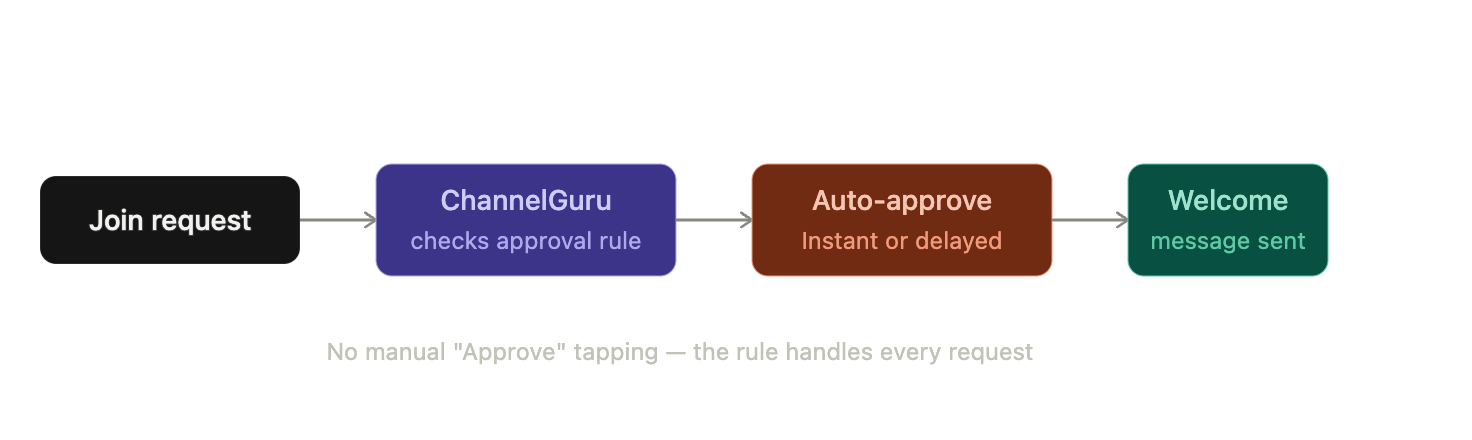
Join request automation — auto-approve (with optional delay) or route requests through simple rules, instead of tapping "Approve" one by one
Welcome flows — an automatic welcome message or DM the moment someone's request is approved
Broadcasts — scheduled and one-off posts sent to your full subscriber base
Combot's strengths (CAS anti-spam, group trigger rules, group activity dashboards) live in a different product category entirely. If those are what you need, ChannelGuru won't replace them — it isn't trying to.
When You Should Actually Stay on Combot
In the interest of being honest rather than sales-y: stay on Combot if you run a group, not a channel, and you rely on its anti-spam or trigger system for ongoing conversations. If your community lives in a group with active back-and-forth chat, Combot's moderation depth is hard to beat, and switching tools just to dodge a $5–6/month bill on a 200+ member group probably isn't worth the migration effort.
Where it stops making sense is when you're paying for — or fighting the free-tier limit of — a group-analytics tool to solve a channel-operations problem. That's the mismatch this article is pointing at.
How to Switch (or Run Both) Without Losing Data
You don't have to pick one and delete the other on day one:
1. Add ChannelGuru as an admin on your channel — it doesn't touch Combot's data or settings, since they operate on different layers (channel vs. group).
2. Turn on join-request automation first. This is usually the fastest win: set an approval rule (instant or delayed) and stop manually clearing the request queue.
3. Set up your welcome message so new subscribers get an automatic greeting the moment they're approved.
4. Schedule your next broadcast through ChannelGuru instead of posting manually.
5. Keep Combot running on any linked discussion group if you have one — group moderation and channel operations aren't in conflict, so there's no reason to remove either tool just because you added the other.
Combot Free Tier Limit: Quick Answers
What's Combot's current free tier limit?
Combot is free for groups under 200 members; larger groups move to paid plans.
Does the 200-member limit apply to channels too?
Combot's core product is built around groups, so channel admins hitting friction with join requests, welcomes, or broadcasts are usually looking at a mismatch in tool category, not just a pricing wall.
Can I run Combot and ChannelGuru together?
Yes. They cover different layers — Combot handles group moderation/analytics, ChannelGuru handles channel join approvals, welcomes, and broadcasts — so there's no conflict running both.
Bottom Line
Combot earns its reputation as a group moderation and analytics tool — that part isn't in question. But "Combot alternative" searches are usually really "I run a channel and just need join approvals, welcomes, and broadcasts to stop being manual work," and that's a different job than the one Combot was built for.
If that's your situation, ChannelGuru is built specifically for it. If you're running an active group with real conversation and rely on CAS-style moderation, Combot's still a reasonable pick — even on the paid tier.
Set up ChannelGuru free on your channel — join approvals, welcomes, and broadcasts, configured in a couple of minutes. And if your setup is really a group with active chat, that's a fair reason to stay on Combot; this isn't meant to talk you out of a tool that actually fits.