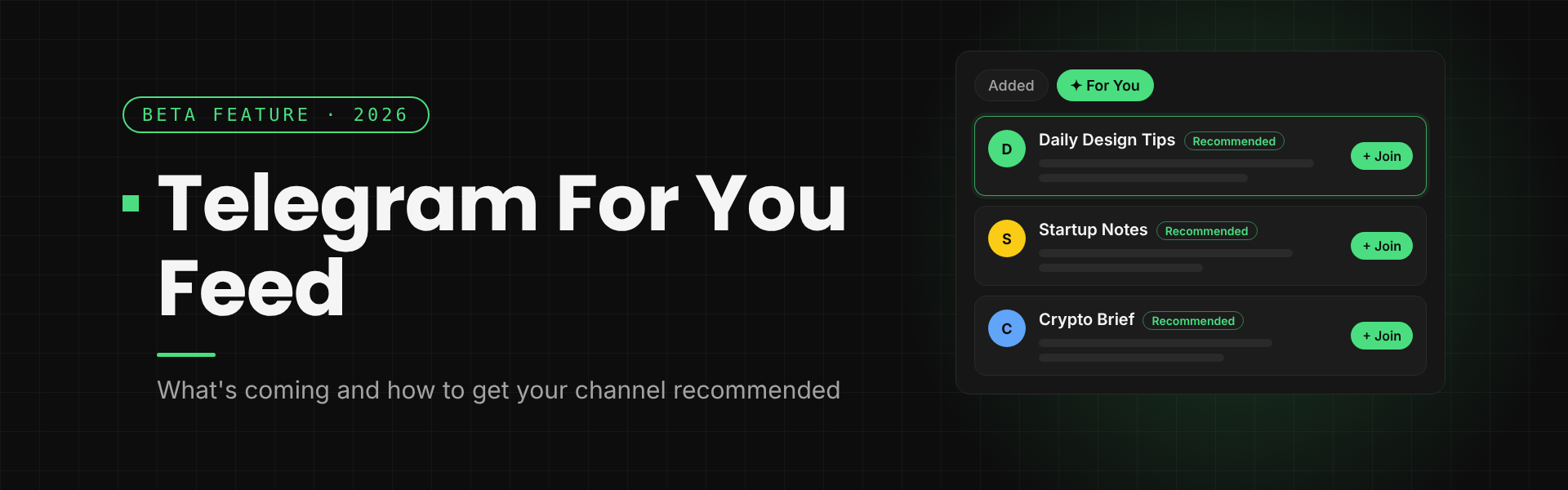
For most of its life, a Telegram channel grew one way: people had to find your link somewhere else first. That may be about to change. In October 2026, a Telegram beta for macOS showed a new News section with a "For You" feed that recommends posts from channels you don't follow yet.
Quick answer: The Telegram For You feed is a recommendation feed spotted in a Telegram macOS beta in mid-October 2026. It sits in a separate News section with two parts: Added (posts from channels you follow) and For You (posts picked from your interests). Telegram hasn't announced it yet. To get ready, give your channel one clear topic, build audience overlap with similar channels, and write posts that make sense to a stranger.
This guide covers what has been reported so far, how Telegram already recommends channels today, and seven things you can do now so your channel is ready if the feed rolls out.
What is the Telegram For You feed?
Several tech outlets reported the feature between October 15 and 18, 2026, after it appeared in a beta build of Telegram for macOS. AndroidHeadlines and ShiftDelete describe it as a personalized feed of channel posts that is kept separate from your chat list.
Here is what the reports agree on:
- A separate News section. Channel posts get their own space, so they no longer compete with your private chats for attention.
- Two parts. According to Palai Media, the beta shows an "Added" tab for channels you follow and a "For You" tab with personalized recommendations.
- Topic settings and search. The same report mentions topic settings and search inside the feed. Other reports say recommendations are based on your interests and how you interact with content.
- macOS beta only. No other platform has shown the feature so far.
What is still unknown: Telegram hasn't confirmed the feature, given a launch date, or explained how posts are chosen. It's also unclear whether channel owners will be able to opt out. Treat everything here as early reporting, and expect details to change before release.
"Added" vs "For You": how the News section works
Think of the two tabs as two different jobs.
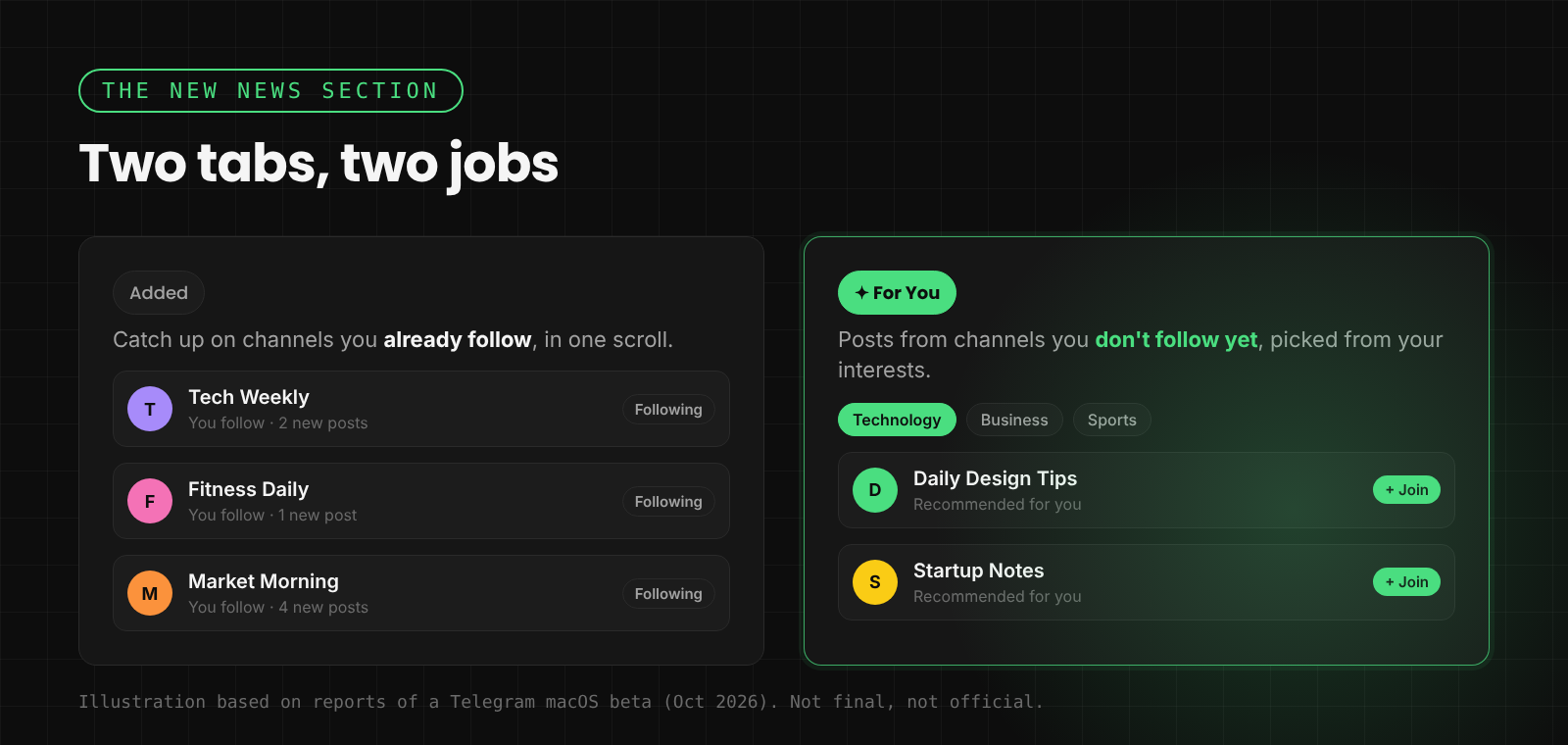
- Added is a catch-up view. It collects recent posts from channels you already follow in one scroll, instead of making you open each channel one by one. For channel owners, this could mean more views from existing subscribers who have muted you or moved you into a folder.
- For You is the discovery view. It shows posts from outside your subscriptions, so a reader can find your channel through one good post without ever seeing your link.
For You is the part that matters most for growth. Right now, a new Telegram channel depends on cross-promotion, ads, and outside traffic. A recommendation feed would add a way to grow inside the app itself, which is how Instagram and TikTok creators already grow.
What the feed could mean for small channels
Recommendation feeds tend to reward content, not size. A channel with 800 subscribers can surface next to a channel with 800,000 if a post matches what a reader cares about. If Telegram's feed works the same way, three things become more important:
- Single-post quality. Strangers will judge your channel by one post, not by your whole history.
- A clear topic. Topic settings mean Telegram needs to know what your channel is about before it can show you to the right readers.
- Converting a reader into a subscriber. A view from the feed is only useful if that person joins.
Big channels still have an advantage: more engagement gives any ranking system more signals to work with. But the gap between a new channel and an established one could shrink.
How Telegram already recommends channels today
You don't have to wait for the feed to start. Telegram already recommends channels in three places, and the For You feed will probably build on the same ideas.
- After someone joins a channel. Telegram shows a row of similar channels right after a user subscribes.
- The "Similar channels" tab. Every public channel profile has a tab listing channels like it.
- Global search. Telegram can suggest channels similar to the ones a user has already joined.
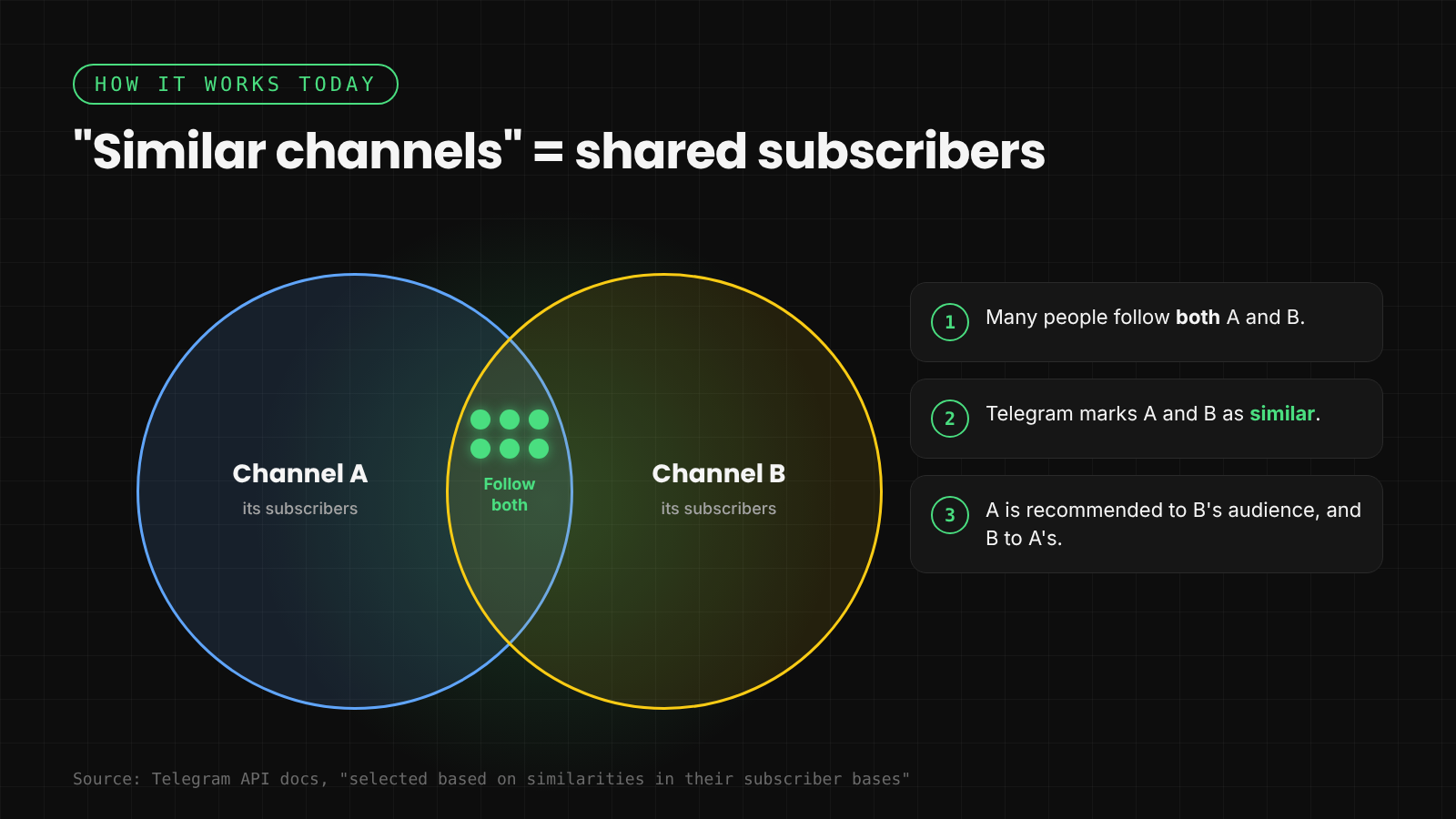
Telegram's developer documentation says these lists are "selected based on similarities in their subscriber bases". In plain words, if many people follow both Channel A and Channel B, Telegram treats them as similar and recommends one to the other's audience. Non-Premium users see a shorter list than Premium users.
That one rule gives you the clearest lever you have today: share an audience with the channels you want to appear next to.
7 ways to get your Telegram channel recommended
Telegram hasn't published how the For You feed ranks posts, so treat these as best practice based on how Telegram's existing recommendations work and how other feeds behave.
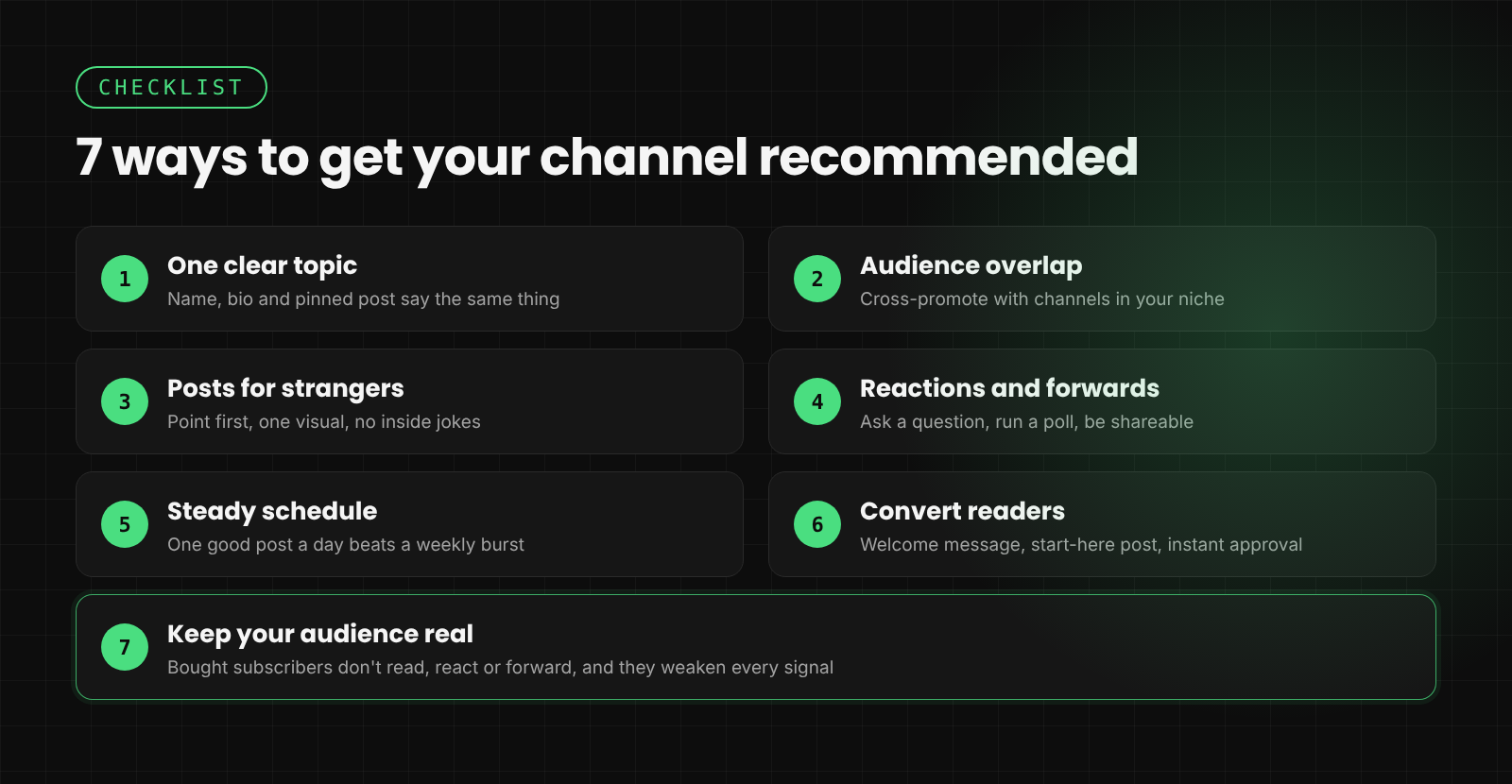
1. Pick one topic and make it obvious
Your channel name, username, description and pinned post should all say the same thing. "Crypto news" is clear. "Crypto, memes and life updates" is not. If the feed uses topic settings, a focused channel is much easier to classify.
2. Build audience overlap with the right channels
Similar channels are based on shared subscribers, so cross-promotion with channels in your niche does double duty. It brings direct joins, and it teaches Telegram which channels you belong next to. Swap shout-outs with channels of a similar size. Avoid swaps with unrelated channels, which can blur your audience.
3. Write posts that work for a stranger
A reader in a feed has no context. Open with the point in the first line, add one image or short video, and skip inside jokes and "as I said yesterday" references. Each post should make sense on its own and show why someone should follow.
4. Earn reactions, replies and forwards
Telegram hasn't confirmed which signals the feed uses, but engagement is what most feeds rely on. Ask one clear question, run a quick poll, or post something people want to forward to a friend. A forward also shows your channel to new readers, and it works today, feed or no feed.
5. Post on a steady schedule
A discovery feed can only show recent posts. One good post a day beats ten posts on Monday and silence for the rest of the week. If you run several channels, an AI auto-forwarding workflow can help you keep each one active without copy-pasting.
6. Turn feed readers into subscribers
Make the join step easy and the first minute useful. Pin a short "start here" post, set a Telegram welcome message for new members, and if you use join requests, let Channel Guru approve them instantly and send a welcome DM. Each new member is saved to a list you can broadcast to later.
7. Keep your audience real
Bought or bot subscribers don't read, react or forward. They drag down every engagement signal and can teach Telegram the wrong things about your audience. Our 0 to 10K growth playbook explains why buying subscribers backfires and what to do instead.
What to track once the feed launches
When the feature goes live, open your channel's Statistics and watch where new followers and views come from. Compare the weeks before and after launch:
- Views per post vs. subscriber count. If views jump past your subscriber count, non-subscribers are finding you.
- New followers by source. Look for growth that doesn't match your ads or cross-promos.
- Which posts bring joins. Note the format, topic and first line of your best posts, then do more of them.
If you also run a group next to your channel, link the two with Telegram Communities so new readers can find the conversation as well as the posts.
Telegram For You feed FAQ
Is the Telegram For You feed live?
Not yet. As of late October 2026, it has only been reported in a Telegram beta for macOS. Telegram hasn't officially announced it.
When will the For You feed launch?
There's no date. Features found in Telegram betas often ship in a later monthly update, but some change or never ship. We'll update this guide when Telegram announces it.
Will private channels appear in the For You feed?
That hasn't been reported. Telegram's existing similar-channel recommendations apply to public channels, so a public channel with a username is the safer bet if discovery matters to you.
Can I stop my channel from being recommended?
It's not known yet whether channel owners will get an opt-out. The reports only mention topic settings for readers.
Does the feed replace the chat list?
No. Reports describe News as a separate section, so your chats stay where they are.
How do I get my channel into "Similar channels" today?
Grow an audience that overlaps with established channels in your niche. Cross-promotion with related channels is the most direct way, because Telegram's recommendations are based on shared subscribers.
Get your channel ready now
You can't control when Telegram ships the For You feed, but you can control whether your channel is ready for it. Pick one topic, grow alongside the right channels, write posts that make sense to strangers, and make the first minute after joining count. Set up Channel Guru free to auto-approve join requests and welcome every new subscriber, so readers who find you in the feed stay.